Note: PagePixels uses Stripe for payment, subscription, invoice, and receipt management.
1
Log in to your PagePixels account.
2
Go to your billing portal
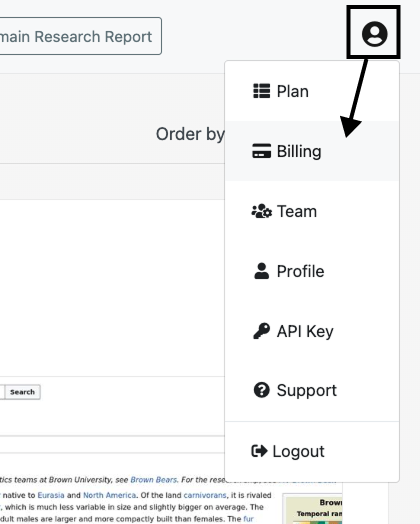
Click on the user icon and select the Billing option from the dropdown menu.
3
Change your billing information
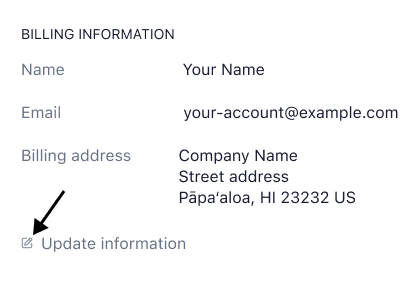
Scroll to the BILLING INFORMATION section and click the Update information button.
Update your billing details and click the Save button.
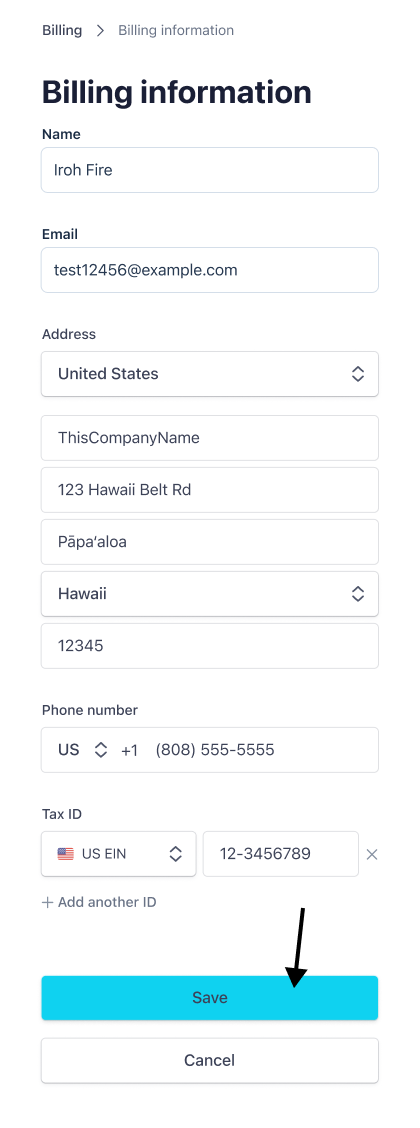
Your billing information is now updated and your future invoices will automatically reflect those changes.