Note: If you're switching from a paid monthly to an annual plan, the default payment method in your billing portal will be used. For how to change payment methods, see this article.
Log in to your PagePixels account.
Go to your plan page
Click on the user icon and select the Plan option from the dropdown menu.
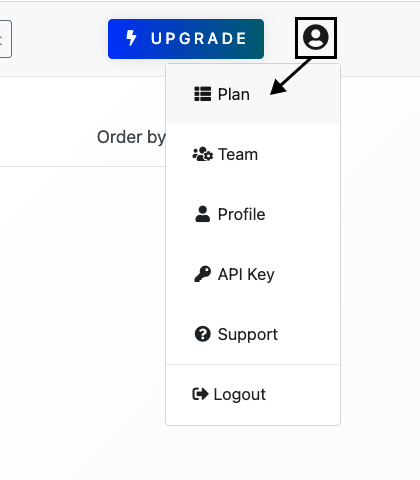
You can also simply visit this address (must be logged in):
https://pagepixels.com/app/billing/plan
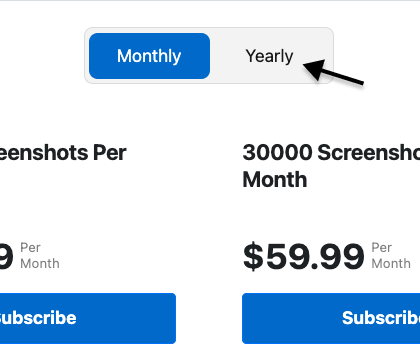
Choose yearly plan
Click the Yearly toggle.
Click the Subscribe button.
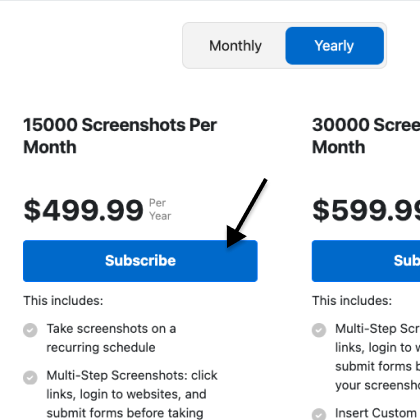
Note: If you're already subscribed to a paid plan, the button will say either "Move to Yearly" or "Upgrade" (instead of "Subscribe") and your default payment method will be charged. See note at top of this section.
Complete payment
Select and add your payment information.
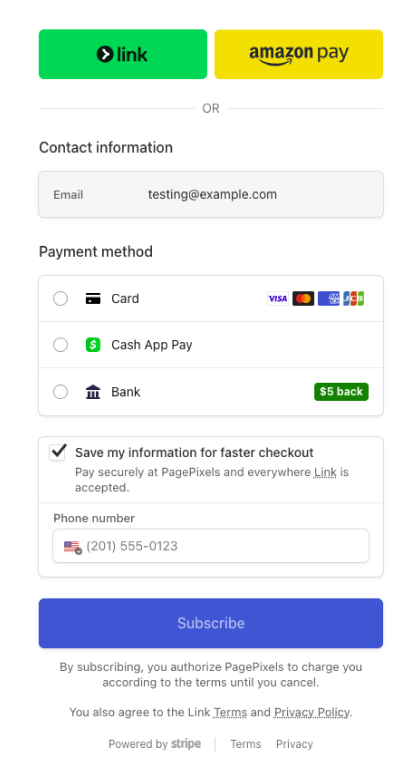
Click the Subscribe button.
🎉 You're now subscribed to the yearly screenshot plan.