Note: These steps are for changing the email used for your PagePixels login. To change your billing email (what's listed on your invoices), see this help article.
1
Log in to your PagePixels account.
2
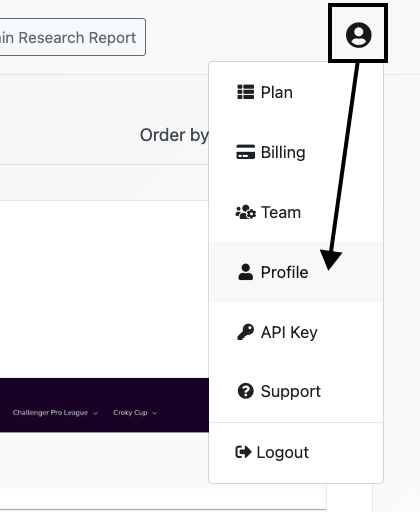
Go to your profile page
Click on the user icon and select the Profile option from the dropdown menu.
3
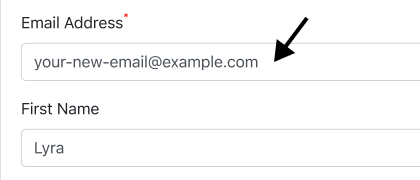
Change your email address
Update the Email Address field.
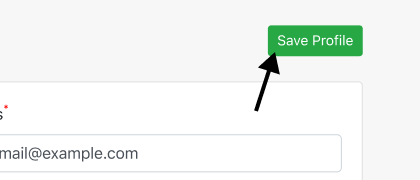
Click the Save Profile button.
That's it. The next time you log in to PagePixels, you'll need to use your updated email address.